
watchOS 27: 12 Big Apple Watch Features
Apple has released watchOS 27, bringing a collection of new features, design changes and performance improvements to compatible Apple Watch models. The update became publicly available on September 14, 2026, and introduces Siri AI, a redesigned app experience, new gesture controls, enhanced fitness tools and changes to several familiar Apple Watch apps.
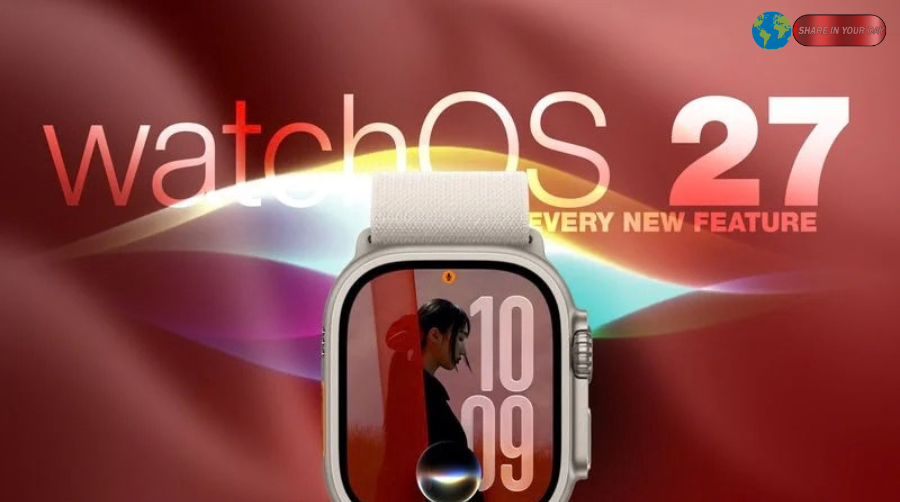
While watchOS 27 is available across several recent Apple Watch generations, some features are limited to newer hardware. Apple has also made changes to compatibility, dropping support for older models including the original Apple Watch Ultra, Series 6 through Series 8, and Apple Watch SE 2. Compatible models include Apple Watch Series 9 and later, Apple Watch Ultra 2 and later, and Apple Watch SE 3, paired with an iPhone running iOS 27 or later.
Here are 12 changes worth checking after installing the latest Apple Watch software.
1. watchOS 27 Adds a Dedicated Siri App
One of the biggest additions in watchOS 27 is a dedicated Siri app. Rather than treating Siri as something accessed only through a quick voice request, Apple now provides a central place where users can revisit conversations and start new ones from their wrist.
Apple says Siri AI can handle more natural conversations, use personal context, take actions inside apps and answer broader questions. Conversations can also sync privately through iCloud, allowing users to continue a Siri interaction across Apple devices.
The feature is rolling out in English, and Apple notes that usage limits may apply. Some Siri AI capabilities also depend on the capabilities of the paired iPhone.
For Apple Watch owners who regularly use Siri for reminders, information or hands-free tasks, the dedicated app makes the assistant a much more visible part of the watchOS experience.
2. The New Siri Modular Watch Face
Apple has also introduced a new Siri Modular watch face in watchOS 27.
The face uses a rectangular complication that mirrors the most relevant widget at the top of the Smart Stack. That information can change throughout the day based on context such as time and location. A Siri complication also provides a quick way to access the assistant.
The result is a watch face that focuses less on displaying the same information all day and more on adapting what appears on screen.
That fits with Apple’s broader approach in watchOS 27, where contextual suggestions play a larger role across the interface.
3. A Dynamic App Grid Replaces the Familiar Default View
Opening the Apple Watch app interface now works differently.
In previous versions, pressing the Digital Crown could bring up the traditional honeycomb-style app view. In watchOS 27, Apple introduces a dynamic grid that places suggested, frequently used and recently used apps in a more prominent position. The Siri app sits at the center of the new layout.
Users can still access the complete alphabetical app list. Instead of being limited to the dynamic layout, turning the Digital Crown provides a way to navigate through the full collection of installed apps.
The redesign is intended to reduce the amount of searching needed to reach commonly used apps.
4. watchOS 27 Introduces a New Tap Gesture
Apple Watch already supports gestures such as Double Tap and Wrist Flick. watchOS 27 adds another option called Tap.
The new gesture lets users touch the index finger and thumb together once to select a highlighted widget in the Smart Stack. Apple designed it for situations when the other hand is occupied, making it possible to interact with the watch using a single hand.
The existing Double Tap and Wrist Flick functions remain available for their respective actions.
The new gesture is a small change, but it fits the Apple Watch’s broader emphasis on hands-free and one-handed interaction.
5. Walkie-Talkie Is Removed
Not every watchOS 27 change adds something new.
Apple has removed the Walkie-Talkie app from supported Apple Watch models running the new operating system. According to MacRumors, the app is not simply hidden; it is unavailable after updating and cannot be reinstalled from the App Store.
Users who remain on watchOS 26 can continue to see the app. However, conversations cannot be started with contacts who have moved to watchOS 27.
The removal represents one of the more noticeable changes for people who used Apple Watch as a quick push-to-talk communication device.
6. Live Rewind Is Coming, but It Is Not Available Yet
Another change involves the Digital Crown shortcut.
In earlier watchOS versions, double-pressing the Digital Crown opened the App Switcher. In watchOS 27, that shortcut instead opens the dynamic app grid. Apple has reserved the gesture for an upcoming feature called Live Rewind.
Live Rewind is expected to provide a transcript of approximately the previous 15 seconds of speech heard in the surrounding environment. MacRumors reports that the feature will be limited to Apple Watch Series 12 and Apple Watch Ultra 4.
Apple is also bringing the App Switcher back through a different interaction in a future watchOS 27.2 update, according to the current MacRumors guide.
That means some users may need time to adjust to the changed Digital Crown behavior.
7. Find My Becomes One Unified App
Apple is consolidating three separate Find My functions into a single app in watchOS 27.
Find Devices, Find Items and Find People are now presented together in a map-focused interface. The redesigned app also includes shortcuts for directions and locating nearby items.
MacRumors also reports that the unified Find My experience supports Precision Finding for compatible devices and items, including paired iPhones, AirPods Pro 3 and AirTag 2.
The change gives users one central location for finding people, Apple devices and supported items instead of moving among separate apps.
8. Workout Buddy Works Without an iPhone Nearby
Workout Buddy received a useful expansion in watchOS 27.
The feature, introduced with watchOS 26, previously depended on having an iPhone within range. With the new update, an Apple Watch can run Workout Buddy when Wi-Fi or cellular connectivity is available.
Apple has also expanded the fitness insights provided by Workout Buddy. The system can use training history to highlight gradual changes in pace, distance and workout duration. Apple has additionally expanded language support to Spanish alongside English.
That makes Workout Buddy more practical for runners and other athletes who prefer to exercise without carrying their iPhone.
9. Cycle Tracking Adds Perimenopause Support
Health-related features are another important part of watchOS 27.
Cycle Tracking can now identify logged patterns that may be suggestive of perimenopause and provide related notifications, symptom-tracking options and educational information. Apple says these notifications rely on the user’s recorded cycle history and apply to users aged 40 and older.
Apple also emphasizes that the feature is not a diagnostic tool and is not intended to function as a method of birth control.
The update expands Apple Watch’s existing role in menstrual health tracking while keeping the feature within the broader Health app ecosystem.
10. Treadmill Tracking Gets More Accurate
For indoor walkers and runners, watchOS 27 introduces more accurate treadmill distance calculations.
Apple uses updated motion and machine-learning algorithms to improve the measurement of indoor running and walking. According to MacRumors, the improvement is designed to begin from the first step rather than requiring the watch to settle on an estimate after several minutes.
Fitness route maps have also been improved, while step totals are designed to remain consistent between the Fitness and Health apps.
These changes are less visually dramatic than the new Siri interface, but they can matter more to people who use Apple Watch for regular exercise tracking.
11. Smart Stack Gets More Contextual Suggestions
The Smart Stack is becoming more useful in watchOS 27 because Apple is expanding the kinds of contextual information it can surface.
New suggestions can include a parked-car location, reminders about a close contact’s birthday, transit card balance changes and prompts related to Noise alerts. The system can also remind users when Theater Mode is still enabled and surface pinned messages, celebrations and identity cards.
The idea is to show relevant information when it is most likely to be useful rather than requiring users to manually open every app.
Together with the new Tap gesture and Siri Modular watch face, the Smart Stack forms a larger part of Apple’s contextual approach to watchOS 27.
12. New Apple Watch Models Get Improved Step Tracking
The final feature highlighted by MacRumors is particularly relevant to the newest Apple Watch models.
Apple Watch Series 12 and Apple Watch Ultra 4 use a redesigned pedometer model and the S11 chip to provide more accurate step tracking, according to MacRumors. The latest models also add a Steps complication that can display step information directly on the watch face.
Because the feature depends on the newer hardware, it is not presented as a universal watchOS 27 feature for every compatible Apple Watch.
This is an example of how Apple’s latest software release combines broad operating-system improvements with features that depend on newer device hardware.
watchOS 27 Also Brings Smaller Performance Improvements
Beyond the 12 changes highlighted in the guide, Apple says watchOS 27 includes improvements to responsiveness, battery efficiency, connectivity and system performance.
Apple lists faster media playback, more accurate step tracking, improved Wi-Fi connectivity, more efficient water detection and faster app extension launches among the underlying improvements.
Apple has also refined the Liquid Glass interface with improved contrast and more uniform refraction, with the stated goal of improving readability.
The update can also suggest disabling selected features when battery extension is needed, including certain gestures, Start Workout reminders and Raise to Speak.
These changes may not appear as prominently as Siri or the new app grid, but they contribute to the overall day-to-day experience.
watchOS 27 Is Already Available
Apple released watchOS 27 on September 14, 2026, and compatible users can install it through the Apple Watch or Watch app software-update process.
As of September 26, Apple has also released watchOS 27.0.1 for Apple Watch Series 12 and Apple Watch Ultra 4. Apple’s support documentation says the update fixes an issue that could cause an Apple Watch to restart unexpectedly.
For users with supported older hardware, the standard watchOS 27 release remains the relevant version. The compatibility list begins with Apple Watch Series 9 and extends through newer models, while the original Ultra, Series 6 through Series 8 and SE 2 are excluded from the update.
Final Look at watchOS 27
watchOS 27 is more than a routine Apple Watch software update. Siri AI gives the watch a more capable assistant, while the dedicated Siri app and new Siri Modular face make that technology easier to access directly from the wrist.
At the same time, Apple has redesigned app navigation with the dynamic grid, added a new one-handed Tap gesture, combined Find My functions, expanded Workout Buddy and introduced additional health and fitness improvements. Some changes, such as the removal of Walkie-Talkie and the altered Digital Crown behavior, will be more noticeable to existing Apple Watch users than others.
The most important details will ultimately depend on which Apple Watch model a person owns. Some features are broadly available across supported devices, while others require newer hardware such as Apple Watch Series 12 or Ultra 4.
With watchOS 27 now available, Apple Watch owners can explore the new Siri experience, redesigned navigation, improved fitness tracking and expanded Smart Stack features as part of the latest generation of Apple’s wearable software.
External Link Suggestions
Apple: Official watchOS 27 features and availability page.
Apple Support: watchOS 27 update and release information.
MacRumors: Original guide covering the 12 changes highlighted in this article.