
5 Major Concerns About Google’s Android Desktop OS Aluminium OS
Google’s ambitious push to bring Android to desktop PCs with its new operating system, codenamed Aluminium OS, has been met with excitement — but also serious questions from developers and tech analysts. Early leaks show a desktop interface built on Android that diverges from traditional desktop paradigms, prompting a closer look at potential shortcomings before its official launch.
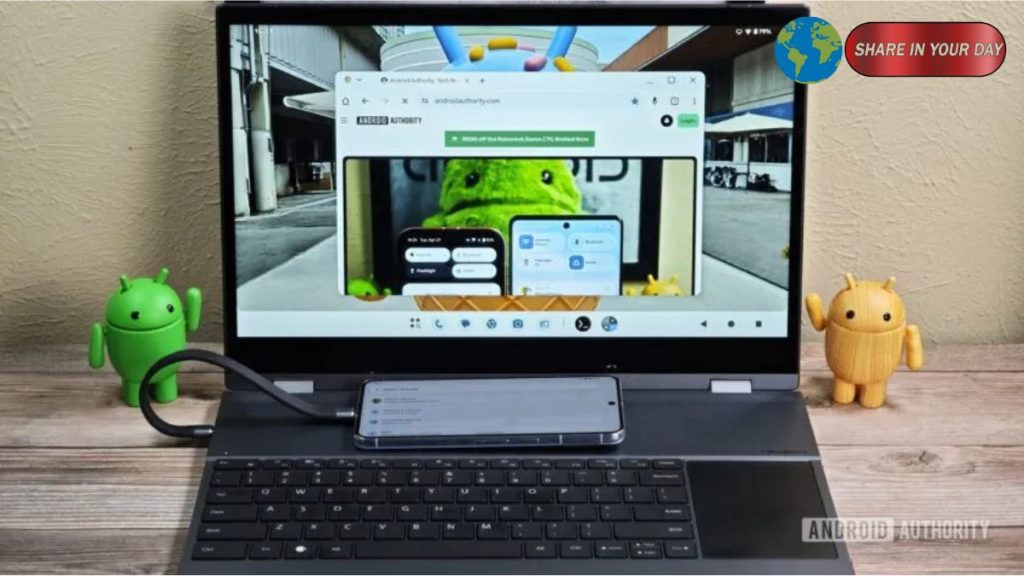
Aluminium OS represents Google’s effort to merge Android and Chrome OS into a unified platform for laptops, tablets and desktops. The goal is to expand Android’s reach into areas traditionally dominated by Windows and macOS, but critics say multiple design and functionality issues could hinder adoption.
1. Interface Design Could Waste Screen Space
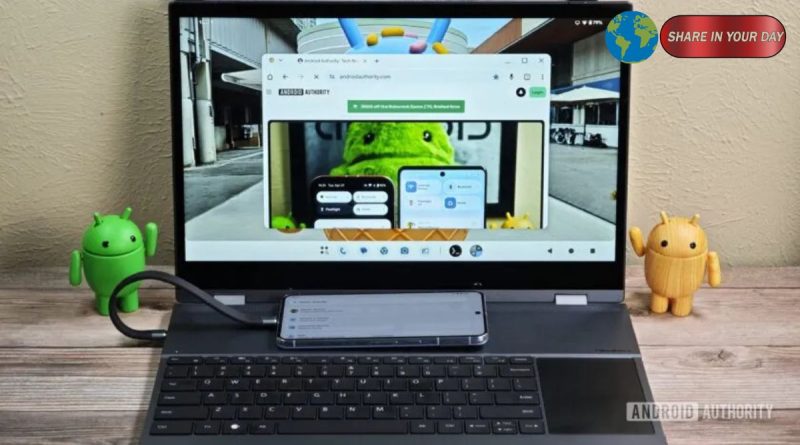
One of the first concerns reviewers raised is the UI layout itself. Leaked footage appears to show both a bottom taskbar and a persistent top status bar — a combination that mimics Android’s mobile interface rather than a traditional desktop environment.
Tech experts warn that this display layout could reduce usable vertical screen space, especially on smaller laptop screens, and introduce a steeper learning curve for users transitioning from Windows or even current Chrome OS interfaces.
2. Browser Limitations Could Undermine Desktop Productivity
Another major issue centers on the built-in Chrome experience within Aluminium OS. While the leak shows Chrome Dev running in the desktop environment, much of the interface appears more like Chrome Mobile than full desktop Chrome.
Critics point out limitations such as a lack of support for multiple profiles, custom search engines, advanced developer tools and desktop-level extension integration — features that are staples of desktop productivity workflows.
3. Loss of Chrome OS Productivity Features
Many of the unique productivity tools that made Chrome OS attractive — including powerful screen capture utilities, PDF annotation, integrated workspace apps and seamless multi-window file handling — may be absent or radically changed in Aluminium OS.
Observers warn that ditching or downgrading these features would force users to rely on third-party apps to get basic desktop tasks done, potentially reducing the appeal of the new OS for students and professionals alike.
4. Android Apps Still Not Fully Desktop-Ready
Despite Android’s dominance on phones and tablets, many apps still struggle on large screens — lacking proper keyboard navigation, mouse support and resizable window optimization.
On desktops, users expect precise input behavior, robust window management and full keyboard shortcuts, areas where the current Android ecosystem still lags. Without strong incentives for developers to improve app behavior at scale, Aluminium OS risks feeling like a stretched phone system rather than a true desktop platform.
5. Uncertainty Over Updates, Security and Admin Tools
Chrome OS has long been praised for its seamless update system and strong security framework — features that are essential in enterprise and education environments.
Aluminium OS’s reliance on Android’s existing update cadence and the broader fragmentation of Android devices could lead to inconsistent support windows and patching lags, raising concerns for IT administrators and security-conscious users.
Bottom Line
Google’s Aluminium OS represents a bold next step in unifying Android with traditional desktop computing — but early reviews suggest that the transition may not yet deliver the robust experience users expect from a PC-class operating system. Whether Google can address these concerns before launch will be key to its success in challenging Windows, macOS and even Chrome OS’s established foothold.