
MikroTik Routers Hit by Critical Attack: Patch Now
MikroTik routers are under active attack after security researchers confirmed that attackers are exploiting vulnerabilities in RouterOS to gain administrative control of internet-accessible devices. The warning is particularly serious for organizations and administrators that expose remote management services such as SSH to the public internet.
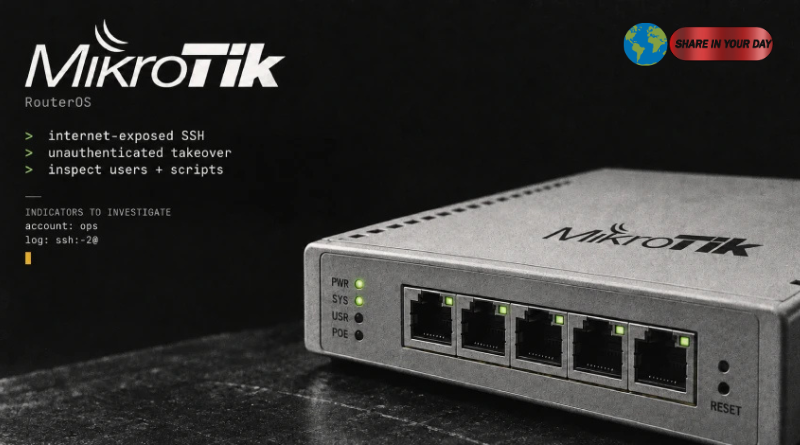
CERT Polska said it has observed real-world attacks against vulnerable RouterOS devices and confirmed that attackers can exploit a combination of flaws to take complete control of affected routers without authentication when the relevant remote-access conditions are present. The security agency has urged administrators to install the available fixes immediately.
The campaign has reportedly been active since at least September 2, making the incident an immediate concern for businesses, internet service providers and other organizations that rely on MikroTik equipment for network connectivity.
The vulnerability chain has been given the name MikroTrick by CERT Polska. Rather than being a theoretical security weakness, researchers have confirmed that the flaws are being exploited in attacks against exposed devices.
MikroTik Routers Face Active Exploitation
The latest warning centers on several vulnerabilities discovered in MikroTik’s RouterOS operating system.
CERT Polska said it identified six vulnerabilities affecting different RouterOS components, including the SSH server and client, bandwidth-test service, X.509 certificate handling and WebFig interface. Two of the vulnerabilities can be combined to allow an attacker to obtain full administrative control of a device without authentication when the device is configured to provide SSH access remotely.
The situation is especially important because routers sit at the center of many networks.
A compromised router can potentially provide an attacker with visibility into network traffic, access to internal systems, control over DNS settings and the ability to modify security configurations. That makes network appliances an attractive target for cybercriminals and sophisticated threat actors.
The latest incident also reinforces a broader security lesson: internet-facing management interfaces can dramatically increase the consequences of an unpatched vulnerability.
MikroTik itself recommends keeping RouterOS updated and warns against exposing management services directly to the internet unless there is a specific operational requirement.
The RouterOS Vulnerabilities Behind the Attack
CERT Polska publicly described six vulnerabilities, while highlighting three of the most important flaws.
One is CVE-2026-67276, an SSH authentication bypass vulnerability rated CVSS 9.2. According to CERT Polska, RouterOS did not properly verify the complete RSA public key associated with a user. Under the conditions described by researchers, an attacker who knew the username and public modulus could construct another key and authenticate without possessing the corresponding private key.
Another is CVE-2026-86060, also rated CVSS 9.2. The flaw involves how RouterOS handles specially crafted usernames during SSH authentication. CERT Polska said successful exploitation can result in a session with full administrative privileges.
A third issue, CVE-2026-67277, affects the bandwidth-test service and carries a CVSS score of 8.8. Researchers said it could allow memory disclosure or cause a remote denial-of-service condition through a combination of flaws.
The important point for administrators is that this is not simply a matter of changing an SSH password.
The vulnerabilities affect the underlying RouterOS software. Consequently, upgrading to a fixed release is the central defensive measure.
Which MikroTik Routers Are Affected?
The affected software ranges cover multiple RouterOS branches.
According to CERT Polska and The Hacker News’ review of the affected versions, administrators should pay particular attention to these ranges:
| Affected RouterOS | Security Fix |
|---|---|
| 6.0.0 through versions below 6.49.21 | 6.49.21 |
| 7.0.0 through versions below 7.23.4 | 7.23.4 |
| 7.24 through versions below 7.24.2 | 7.24.2 |
| Development releases | 7.25beta3 |
The later 7.23.5 release also retains the security fix while addressing an IPv6 DHCP regression introduced in 7.23.4, according to The Hacker News.
Administrators should therefore avoid assuming that a relatively recent RouterOS installation is automatically safe.
The safest approach is to check the device’s current RouterOS version and upgrade through MikroTik’s official update mechanism.
MikroTik RouterOS downloads and changelogs
Why Internet-Exposed SSH Is a Major Concern
SSH is widely used by administrators because it provides remote command-line management.
That convenience becomes a security risk when the service is exposed directly to the public internet.
CERT Polska specifically confirmed successful attacks against RouterOS devices whose SSH service was accessible from public networks. The organization recommends disabling exposed services or restricting them to trusted management networks until the update can be installed.
MikroTik’s own security documentation similarly advises against exposing management services such as SSH and WinBox directly to the internet. Instead, administrators who need remote management should consider using a VPN such as WireGuard to keep management traffic away from the public internet.
This distinction matters.
An administrator might assume that using strong passwords or SSH keys makes an internet-facing service safe. However, software vulnerabilities can sometimes bypass authentication mechanisms entirely. In such cases, credential strength cannot compensate for an unpatched flaw.
How to Check MikroTik Routers for Signs of Compromise
Updating RouterOS is only the first step.
CERT Polska and MikroTik both recommend checking the device after the upgrade for evidence of unauthorized changes. MikroTik has added a Flagged mechanism that can identify certain suspicious configuration changes during startup checks.
Administrators should inspect:
- RouterOS logs
- Unknown user accounts
- Unexpected scripts
- Scheduler tasks
- Proxy settings
- Tunnels
- Other unfamiliar configuration changes
- The device’s Flagged status
CERT Polska also identified specific artifacts associated with observed attacks.
One suspicious account name is “ops”, particularly when it appears as a highly privileged account. CERT also described log entries associated with unauthorized account creation through SSH.
However, administrators should not assume that the absence of these indicators proves the device is clean.
CERT Polska explicitly warns that the Flagged mechanism detects selected traces of compromise and that the absence of a marker does not prove that a device was never compromised.
That makes a manual configuration review particularly important.
What to Do If a MikroTik Router Was Compromised
If an administrator finds evidence that a MikroTik router has already been compromised, simply upgrading RouterOS may not be enough.
CERT Polska recommends first isolating the affected device and preserving relevant logs and configuration information before resetting it. This evidence can be important for determining what happened and how far the compromise may have extended.
The recommended recovery process includes:
- Isolate the router from the network.
- Preserve logs and configuration evidence.
- Avoid clearing the Flagged status before investigation.
- Restore the device to factory settings when appropriate.
- Rebuild it using a trusted configuration.
- Change passwords, authentication keys and other secrets.
- Do not blindly restore a complete backup from a potentially compromised device.
The last point is especially important.
A backup created after an attacker gained administrative access could contain unauthorized configuration changes. Restoring it without reviewing its contents could reintroduce the compromise.
Do Not Rely on Temporary Workarounds
For administrators who cannot immediately install the security update, CERT Polska recommends temporarily disabling exposed services or restricting them to trusted management networks.
The organization specifically highlights SSH, WWW/WWW-SSL and the bandwidth-test server. It also advises against initiating TLS connections or using RouterOS’s built-in SSH clients from an unpatched device, particularly across untrusted networks.
These measures reduce exposure, but they are not substitutes for patching.
MikroTik’s official documentation likewise emphasizes that RouterOS should be kept current because older versions can contain known security weaknesses.
MikroTik RouterOS security guidance
Default Firewall Settings Can Help — But They Are Not Enough
There is an important distinction between a vulnerable router and an exposed vulnerable router.
MikroTik says its default firewall configuration blocks management access from the internet-facing WAN interface on typical home configurations. The company recommends preserving those protections unless there is a specific reason to change them.
That means users with a standard, properly maintained configuration may face less immediate exposure than administrators who deliberately opened management services to the internet.
However, organizations often customize their network configurations.
Businesses, ISPs and advanced users may expose SSH or other management services for remote administration, monitoring or operational requirements. Those environments need to review their configurations carefully.
The latest attacks demonstrate why internet-facing management should be treated as a high-risk service.
The Bigger Lesson for Network Security
The MikroTik incident is part of a wider trend in which attackers increasingly target network infrastructure rather than only traditional computers and servers.
Routers can be particularly valuable to attackers because they sit at strategic points in a network. Once compromised, they may provide opportunities to intercept traffic, redirect connections, establish persistence or attack other systems.
Previous campaigns have demonstrated the attractiveness of MikroTik equipment to threat actors. In 2025, The Hacker News reported that approximately 13,000 compromised MikroTik routers had been incorporated into a botnet used for malware distribution and cyberattacks.
Earlier in 2026, another campaign involving Russian state-linked APT28 was reported to have compromised insecure MikroTik and TP-Link routers and altered DNS settings to support traffic redirection and credential theft.
Those incidents show why routers should not be treated as passive networking equipment.
They are computers with operating systems, services, authentication systems and configuration databases. Like servers and endpoints, they require continuous patching, monitoring and security hardening.
What MikroTik Administrators Should Do Now
For organizations running MikroTik routers, the immediate priority is straightforward.
First, identify every MikroTik device and determine its RouterOS version.
Second, install a fixed RouterOS release as soon as possible.
Third, determine whether management services are reachable from the public internet.
Fourth, review logs and configuration for unauthorized changes.
Fifth, investigate any unfamiliar accounts, scripts or scheduled tasks.
Finally, if there is credible evidence of compromise, isolate the device and follow a proper incident-response and recovery process instead of simply deleting suspicious entries.
MikroTik has published the security fixes across its supported release channels and says users should upgrade. The company’s current security guidance lists 7.25 beta 3, 7.24.2, 7.23.4 and 6.49.21 as fixed releases.
MikroTik Security Announcements
Final Takeaway
The latest campaign targeting MikroTik routers should be treated as an urgent network-security issue, particularly for devices with management services exposed to the public internet.
CERT Polska has confirmed active exploitation and says attackers have successfully obtained full control of vulnerable RouterOS devices under the affected conditions. The organization has also confirmed that the released patches prevent the observed attacks.
Administrators should therefore avoid waiting for additional technical details before taking action.
Updating RouterOS, restricting internet-facing management services and checking configurations for unauthorized changes are the most important immediate steps.
The incident also highlights a broader principle of modern cybersecurity: a router is part of the security perimeter, not outside it.
A compromised router can undermine protections throughout an organization. Keeping its software patched and its management interfaces tightly controlled is therefore just as important as protecting computers, servers and cloud infrastructure.