iOS 26.2: All the New Features Now Available on Your iPhone (December 2025)
Apple has officially released iOS 26.2 for compatible iPhones, bringing a rich set of functional improvements, usability tweaks, and customization tools to your device. The update builds on iOS 26’s design language and adds practical upgrades across apps like Reminders, Apple Music, Podcasts, and more. 9to5Mac
📌 What’s New in iOS 26.2
⏰ Urgent Reminders with Real Alarms
For the first time, iPhone users can set a real alarm for reminders with the new “Urgent” toggle in the Reminders app. When a task is due, your phone rings or buzzes — helping you stay on top of important alerts. 9to5Mac
🎶 Apple Music: Offline Lyrics + Favorites Highlights
iOS 26.2 extends Apple Music’s lyric features by letting you view lyrics offline, even without a network. The update also makes it easier to find your Favorite Songs from the main UI — a small but welcome improvement for music lovers. 9to5Mac
🎙️ Apple Podcasts Gets Smarter
The Podcasts app gains features powered by artificial intelligence:
- Auto-generated chapters to jump through episodes easily
- Podcast Mentions, which link to other shows referenced in a podcast directly from your player or transcript
These upgrades make navigating long shows faster and more intuitive. 9to5Mac
🛌 Refined Sleep Score Metrics
Alongside watchOS 26.2, iOS 26.2 updates the Sleep Score system that tracks your sleep quality. Apple increased the thresholds for score categories, offering a more nuanced and realistic evaluation of how well you’re sleeping. 9to5Mac
📰 Redesigned Apple News Navigation
The News app now features quick buttons at the top of the feed — like Sports, Food, Politics, and Puzzles — for easier browsing. A new Following tab consolidates favorite topics, saved stories, and history. 9to5Mac
📱 Liquid Glass Customization
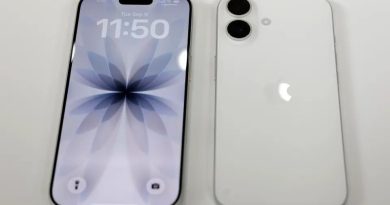
Apple’s Liquid Glass effect gets more flexible. A new slider lets you adjust the clock’s opacity on your Lock Screen, so you can fine-tune how bold or subtle it appears. The Measure app also adopts Liquid Glass design elements, adding visual flair to the Level tool. 9to5Mac
🚗 CarPlay Updates
CarPlay now allows you to disable pinned conversations in Messages. Some users also see expanded widget stacks on compatible dashboards, though this varies by vehicle. 9to5Mac
🔔 Other Helpful Additions
Beyond headline features, iOS 26.2 brings:
- Enhanced Safety Alerts with detailed maps and guidance (U.S.)
- Flash for Alerts that makes the screen flash for incoming notifications
- Freeform tables to organize content visually
- Games app improvements with sorting and real-time challenge scores
- AirDrop codes for secure sharing with people outside your contacts 9to5Mac
📌 Update Tips
You can install iOS 26.2 by opening Settings → General → Software Update on any supported iPhone (typically iPhone 11 and later). As always, Apple includes important security fixes — so updating promptly is recommended. The Times of India
Conclusion:
iOS 26.2 refines the iPhone experience with practical upgrades like real alarms in Reminders, offline Apple Music lyrics, smarter Podcasts navigation, and deeper system customization. It’s a meaningful step forward for usability and personalization — especially for users who enjoy tuning every part of their phone’s interface. 9to5Mac