
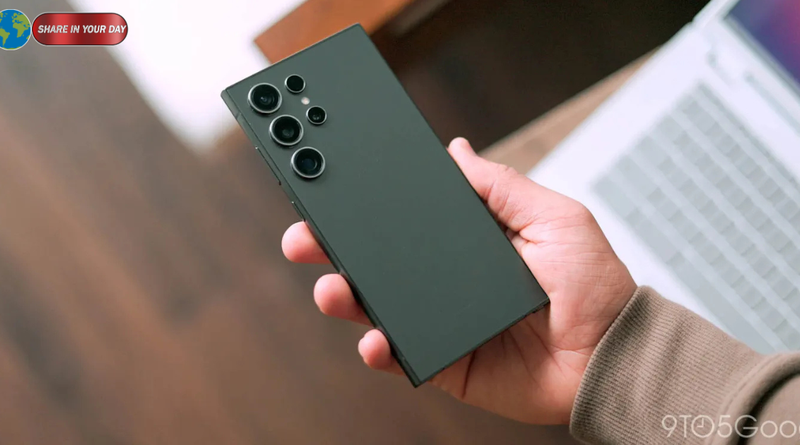
Samsung One UI 9 Update: 5 Key Changes for Galaxy Users
The Samsung One UI 9 update is now rolling out to more Galaxy smartphones, bringing Google’s Android 17 operating system to Samsung’s 2024 flagship devices. The latest expansion includes the Galaxy S24 series, Galaxy Z Fold 6, and Galaxy Z Flip 6, giving more users access to Samsung’s newest software features, artificial intelligence tools, and privacy improvements.
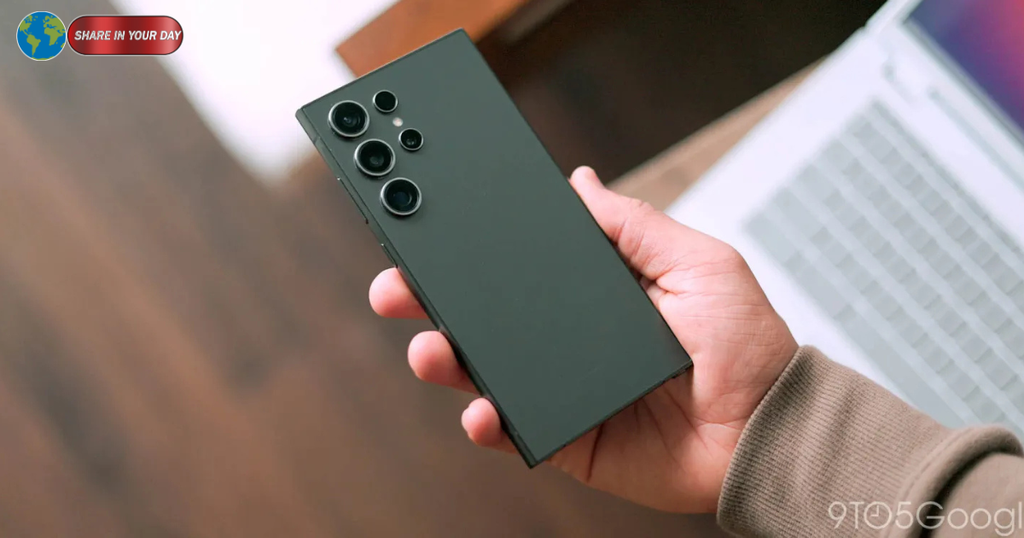
According to reports published on October 12, 2026, Samsung has expanded the stable One UI 9 rollout beyond South Korea to the United States. The update is arriving on supported devices through over-the-air downloads, although availability may vary depending on the device model, carrier, and region.
The expansion is an important step in Samsung’s broader software rollout. After introducing One UI 9 to newer flagship devices, the company is now extending the Android 17 experience to additional phones released in previous years.
For Galaxy S24 owners, the update brings a fresh set of software capabilities without requiring a new smartphone. Meanwhile, owners of the Galaxy Z Fold 6 and Galaxy Z Flip 6 can look forward to the latest interface improvements and Galaxy AI enhancements on their foldable devices.
However, users should understand that software updates rarely reach every eligible phone simultaneously. If the Samsung One UI 9 update has not appeared on a particular device, that does not necessarily mean the phone is excluded.
Samsung One UI 9 Update Reaches Galaxy S24 and Foldable Phones
Samsung’s latest rollout covers several devices from its 2024 flagship lineup.
The supported models reported in the initial expansion include:
- Samsung Galaxy S24
- Samsung Galaxy S24+
- Samsung Galaxy S24 Ultra
- Samsung Galaxy Z Fold 6
- Samsung Galaxy Z Flip 6
The Galaxy S24 family is receiving Android 17 through One UI 9, while the Galaxy Z Fold 6 and Galaxy Z Flip 6 are also joining the rollout.
According to 9to5Google’s original report, the update was initially available in South Korea before expanding to the United States. Other reports published on October 12 also indicate that availability is expanding into additional markets.
This phased approach is familiar to Samsung users. The company commonly distributes major software releases in stages rather than making them available to every eligible device worldwide on the same day.
Regional differences can affect the timing. Carrier approval, firmware versions, and individual device variants may determine when an update becomes available.
Consequently, two owners using the same Galaxy model may receive the update at different times, even if both devices are eligible.
5 Important Features in the Samsung One UI 9 Update
The new software introduces improvements across Samsung’s interface, Galaxy AI tools, and device security. Here are five areas worth exploring after installing the update.
1. Expanded Galaxy AI Features
Artificial intelligence remains an important part of Samsung’s smartphone strategy.
One UI 9 introduces additional Galaxy AI capabilities, including Now Nudge, Creative Studio, Interpreter improvements, Document Scan, and Voice Recorder features, according to coverage of Samsung’s rollout.
These tools are designed to make everyday smartphone tasks more convenient.
Now Nudge is intended to provide contextual assistance, while Creative Studio offers tools for generating and editing creative content. Interpreter helps users communicate across languages, and document-scanning features can simplify the process of capturing paperwork using a phone’s camera.
Voice Recorder improvements may also benefit users who regularly capture meetings, interviews, lectures, or personal notes.
The exact availability of individual AI features can vary by device, language, region, and supported service. Users should therefore check their device’s feature descriptions rather than assume that every capability is available on every model.
For Galaxy S24 and sixth-generation foldable owners, the arrival of One UI 9 represents another opportunity to use Samsung’s expanding AI ecosystem without upgrading to the latest hardware.
2. More Useful Now Brief Cards
Samsung is also introducing generative and editable cards for Now Brief.
The feature is designed to make information easier to access through organized summaries and contextual content. Editable cards provide additional flexibility in how supported information is presented.
For users who prefer a quick overview instead of opening multiple applications, this type of interface can reduce the effort required to find relevant information.
The broader goal is to make a smartphone feel more responsive to daily routines. Rather than treating every task as a separate action, contextual tools can help users discover information and complete common activities more efficiently.
The practical benefit will depend on individual usage habits and which features are available in a user’s region.
3. Improved Privacy and Security Tools
Privacy and security are also important parts of the Samsung One UI 9 update.
Reported additions include Security Brief, Privacy Alerts, and Scam Detection. These features are intended to improve awareness of potential risks and help users make more informed decisions when using their devices.
Security Brief provides a more accessible way to review security-related information. Privacy Alerts can help highlight relevant privacy issues, while scam-detection tools aim to identify suspicious activity or communications in supported contexts.
These capabilities are particularly relevant as smartphones increasingly handle banking, personal conversations, work documents, and sensitive account information.
Nevertheless, built-in security features should not be treated as a guarantee against every threat. Users should continue to install official updates, use strong authentication, avoid suspicious links, and verify unexpected requests for money or personal information.
Samsung’s additional privacy tools are best understood as another layer of protection rather than a replacement for safe digital habits.
4. Warranty and Device Care Information
One UI 9 also brings warranty and care information into the Settings experience.
Making device-related details easier to locate can help owners understand their phone’s support status and access relevant care information.
This is useful when checking warranty coverage, planning repairs, or looking for information about maintaining a device.
The improvement also reflects a wider software-design trend: bringing important information into a central location instead of requiring users to search through multiple menus or external services.
For Galaxy S24 and Z Fold 6 owners planning to keep their phones for several more years, convenient access to device-care information can be a practical addition.
Available details may differ according to the country, product, and Samsung account configuration.
5. My FanCam and Video Improvements
Another reported feature is My FanCam, which offers automatic subject tracking and video reframing.
The feature is designed to keep a subject in view and adjust framing automatically in supported scenarios. This can be useful when recording moving subjects, creating personal videos, or capturing moments without constantly adjusting the camera manually.
Automatic framing can be particularly appealing to people who record content alone or want to keep their attention on an activity instead of managing every camera movement.
However, results will depend on the recording environment, the subject’s movement, and the specific device and application support available.
For content creators and casual users alike, camera-related software improvements can extend a phone’s usefulness beyond traditional photography.
How Large Is the Samsung One UI 9 Update?
Galaxy owners should prepare for a substantial download.
Reports indicate that the stable One UI 9 package for the Galaxy S24 Ultra in the United States is approximately 3.9 GB. The update includes the September 2026 security patch, according to reporting from Android technology publications.
The exact download size may vary across models and firmware versions. Other Galaxy devices may receive packages with different sizes or component combinations.
Because the download is relatively large, users should consider installing it over a reliable Wi-Fi connection.
It is also sensible to check available storage before starting the installation. Although the required free space may differ by device, keeping additional storage available can help prevent problems during downloading and installation.
Users should ensure that their phones have sufficient battery power or remain connected to a charger while the update is being installed.
A major operating-system update can take longer than a routine security patch. The phone may restart more than once, and some applications may need additional time to optimize after installation.
Avoid interrupting the process once the installation has begun.
How to Download the Samsung One UI 9 Update
Eligible Galaxy users can manually check for the update through the Settings application.
Follow these steps:
- Open Settings on your Samsung Galaxy phone.
- Scroll down and select Software update.
- Tap Download and install.
- Wait while the phone checks for available software.
- If One UI 9 is available, follow the on-screen instructions to download and install it.
- Allow the phone to restart and complete the installation.
The exact wording of certain menus may vary depending on the device and software version.
If no update appears, there is no need to assume that something is wrong. Samsung distributes major releases in stages, and availability may differ between carrier-locked and factory-unlocked devices.
Users can check again later or consult Samsung’s official support resources for their specific model and region.
Before installing, it is also wise to back up important photos, documents, and other personal information. Although official updates are designed to preserve user data, maintaining a recent backup is a sensible precaution before any major software change.
For official instructions, visit Samsung Support.
Why the Update Matters for Galaxy S24 Owners
The Galaxy S24 family launched in 2024, and its arrival on the One UI 9 rollout list demonstrates the value of ongoing software support.
A major software update can refresh the user experience without changing the phone’s physical hardware. Improvements to system applications, privacy controls, interface behavior, and AI tools can make an existing device feel more capable.
That matters to users who do not want to replace a smartphone every year.
The Galaxy S24, S24+, and S24 Ultra have different hardware configurations, but all three models are included in the reported update expansion. Their individual experiences may still differ because certain capabilities depend on hardware, regional support, or application compatibility.
The update also gives Samsung another opportunity to keep its software ecosystem consistent across multiple generations of devices.
However, installing a new operating system does not automatically mean every application will run faster or every battery-related issue will disappear. Performance and battery life can vary according to usage, background activity, app compatibility, and device condition.
Users should evaluate the update based on the improvements they actually use rather than expecting every aspect of the phone to change dramatically.
What Galaxy Z Fold 6 and Z Flip 6 Users Should Know
The One UI 9 rollout is also significant for Samsung’s 2024 foldable devices.
The Galaxy Z Fold 6 is designed around a larger inner display that supports multitasking, productivity, and media consumption. The Galaxy Z Flip 6 uses a more compact folding design aimed at portability and flexible everyday use.
Both devices benefit from software that takes their form factors into account.
Interface improvements can affect how users navigate applications, manage notifications, and interact with supported features. Galaxy AI tools may also provide additional ways to work with text, images, documents, and recordings.
Nevertheless, not every feature will necessarily work identically across the Fold and Flip product lines. Some capabilities may depend on screen configuration, hardware, or application support.
Owners should review the release notes associated with their specific model to understand exactly what is included in the update.
The reported rollout to these foldables also indicates that Samsung is extending its latest software beyond its newest flagship generation.
When Will One UI 9 Arrive in Other Countries?
The rollout is expanding beyond South Korea, but availability remains dependent on Samsung’s regional distribution schedule.
Reports published on October 12, 2026, describe availability in the United States, with additional markets also reporting the update. However, the timing for individual countries and device variants may differ.
Samsung has not necessarily made every eligible model available in every region at the same time. Carrier testing and local firmware releases can affect the schedule.
Galaxy owners in other markets should use the Software update menu to check their device directly.
It is also important to distinguish between an update being announced, an update beginning its rollout, and an update becoming available on a specific phone. Those milestones do not always happen simultaneously.
For the latest regional information, users can consult Samsung’s official newsroom and the company’s local support pages.
Will Older Samsung Phones Receive One UI 9?
The Galaxy S24 series and Galaxy Z Fold 6 and Z Flip 6 are not the only devices included in Samsung’s broader Android 17 plans.
Earlier reporting on the rollout has identified additional eligible Galaxy families, including selected Galaxy S25 and S23 models, as well as older foldables and tablets.
However, inclusion in an announced eligibility list does not mean that every device has already received the stable update.
The release schedule can vary substantially between product generations and regions. Samsung may also distribute separate firmware packages for different models.
Owners should check the official software-update information for their exact device instead of relying solely on reports about another phone.
For anyone considering a new Galaxy purchase, software-support commitments are also worth reviewing. The expected support period, update eligibility, and availability of individual features can vary by model.
Final Verdict: Should You Install One UI 9?
For eligible Galaxy S24, Galaxy Z Fold 6, and Galaxy Z Flip 6 owners, the Samsung One UI 9 update brings a substantial software refresh based on Android 17.
Its reported additions include expanded Galaxy AI capabilities, improved Now Brief cards, new privacy and security tools, warranty information in Settings, and My FanCam video features.
The nearly 4 GB download reported for some Galaxy S24 models makes preparation worthwhile. Users should check their storage, connect to reliable Wi-Fi, back up important information, and allow enough time for installation.
Most importantly, availability is being rolled out in stages. If the update has not appeared on a particular phone, checking again later is a reasonable next step.
Samsung’s expanding One UI 9 rollout gives owners of previous-generation flagship phones access to newer software capabilities without requiring an immediate hardware upgrade. For users interested in the latest Galaxy AI tools and privacy improvements, it is a software release worth watching.
External Sources
- 9to5Google: Samsung One UI 9 update reaches Galaxy S24, Z Fold 6, and Flip 6
- Android Authority: Samsung’s Android 17-based One UI 9 rollout expands in the US
- SamMobile: Galaxy S24 One UI 9 update reaches the US
- Samsung Global Newsroom
- Samsung Support
Suggested Internal Links
Replace these suggested topics with relevant pages from your website:
- Samsung Galaxy software update news
- Android 17 features and release information
- Samsung Galaxy S24 Ultra review
- Galaxy Z Fold 6 versus Galaxy Z Flip 6
- Samsung Galaxy AI features explained
Image ALT Text
Samsung One UI 9 update running on Galaxy S24 Ultra with Android 17 features
Featured image recommendation: Use a licensed image of the Samsung Galaxy S24 series or Galaxy Z Fold 6 and Z Flip 6. If possible, choose a genuine screenshot or promotional image that accurately represents One UI 9. Do not present an older software screenshot as a new One UI 9 feature demonstration.