
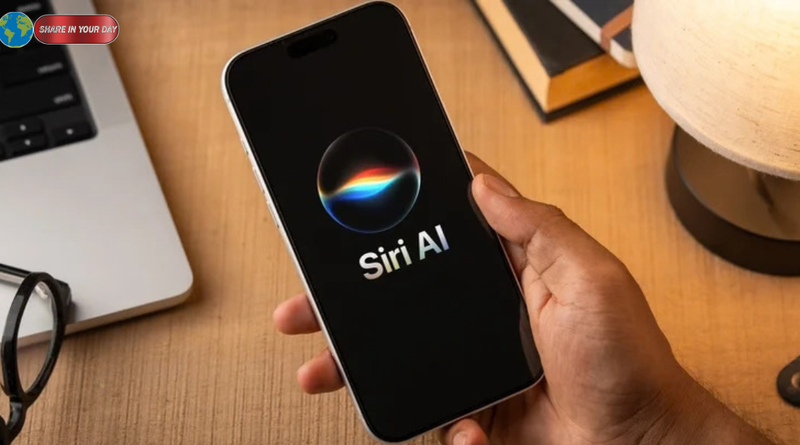
Siri AI Activation Time: How Long Does It Take?
The Siri AI activation time on iOS 27 is not the same for every iPhone user. Apple has introduced the revamped Siri as a beta feature with a waitlist, meaning installing iOS 27 does not automatically give every compatible device immediate access.
According to Apple, users must open Settings, select Siri, choose “Try Siri AI (Beta)”, complete the setup process and join the waitlist. Apple then says Siri AI will begin downloading automatically once the user’s wait is complete. AApple Support
Recent reports suggest that the wait can vary considerably. Some users have reportedly gained access within a few hours or roughly a day, while others have waited several days. BGR’s latest report also cites user experiences ranging from a few hours to nearly a week, with some online reports describing even longer waits. BBGR
That makes one question especially important for iPhone owners who have just installed iOS 27: How long should you actually expect to wait for Siri AI?
Siri AI Activation Time Can Vary
Apple does not currently provide a guaranteed activation window.
Its official support documentation specifically says that wait times can vary. Once the wait is complete, the Siri AI software begins downloading automatically. AApple Support
This means there is no universal answer such as “Siri AI activates after two hours” or “everyone must wait 24 hours.”
Instead, access appears to be handled through Apple’s staged rollout system.
Recent user reports cited by BGR include people who received Siri AI after only a few hours, while other users reported waiting 24 hours, 48 hours or considerably longer. BGR also notes reports of waits approaching a week. BBGR
For users still waiting, that distinction matters.
A delay does not necessarily mean something is wrong with the iPhone.
Why Does Siri AI Have a Waitlist?
The new Siri is significantly more ambitious than Apple’s traditional voice assistant.
Apple describes Siri AI as a conversational assistant with capabilities including personal context understanding, onscreen awareness and broader world knowledge. The system can work with information across supported apps and perform more advanced tasks than traditional Siri. AApple Support
Some of these capabilities require substantial computing resources.
The combination of on-device processing and Apple’s cloud infrastructure means that a massive simultaneous rollout could place additional demand on Apple’s servers.
A waitlist gives Apple a way to control the number of people gaining access at a particular time.
Engadget has similarly reported that the waitlist can help Apple manage demand and server capacity as the new Siri rolls out. EEngadget
Therefore, waiting several hours does not necessarily indicate that the feature failed to install.
It may simply mean the account has not yet been approved for access.
How to Join the Siri AI Waitlist
The process is relatively straightforward on a compatible device.
Apple’s current instructions are:
- Open Settings.
- Tap Siri.
- Select Try Siri AI (Beta).
- If Siri is disabled, turn Siri on first.
- Follow the onscreen instructions.
- Complete the requested voice and privacy setup.
- Join the waitlist.
Apple says Siri AI will download automatically after the wait is completed. AApple Support
The important point is that simply installing iOS 27 is not enough.
Users must actively request access.
If you update your iPhone and continue using the traditional Siri interface, check the Siri settings menu before assuming your phone is incompatible.
Your iPhone Must Support Siri AI
Another reason some users may not see the new Siri is hardware compatibility.
Although iOS 27 itself supports a broader range of iPhone models, Siri AI requires an Apple Intelligence-capable device.
Apple currently lists the iPhone 15 Pro and iPhone 15 Pro Max, iPhone 16 models and later, and iPhone Air among the supported iPhone devices. AApple Support
This creates an important distinction.
An older iPhone may be able to install iOS 27 but still not support the new Siri AI.
In other words, iOS 27 compatibility does not automatically mean Siri AI compatibility.
Users should check their exact iPhone model before spending time troubleshooting the waitlist.
Language Settings Can Also Matter
Siri AI is initially available in English, according to Apple’s current documentation.
Apple’s iPhone guide says the device must be set to a supported language and identifies Siri AI as available in English to start. AApple Support
That means language settings can affect whether the feature appears.
Recent reporting also recommends checking the device language and Siri language when troubleshooting access. Engadget reported that users may need to use English settings for the initial Siri AI rollout. EEngadget
If the Siri AI option does not appear, checking both settings is therefore one of the simplest troubleshooting steps.
What Does “Optimizing Search and Siri” Mean?
Some iPhone users may see a message indicating that the device is “Optimizing Search and Siri.”
That message can make the activation process confusing because it may appear as though Siri AI is already being installed.
However, the process can involve background indexing and preparation of information on the device.
Apple’s newer Siri relies on personal context and information that can be accessed across supported applications. That means the iPhone needs to prepare certain data and indexing systems before all of the new capabilities can work properly.
BGR reports that users have seen this optimization process while waiting for Siri AI access. The report also cites an Apple Community user who said the wait lasted several days. BBGR
If the message remains visible for a while, it does not automatically mean that the iPhone has encountered an error.
How Long Should You Wait for Siri AI?
Based on current reports, there is a wide range.
Some users have reported access within a few hours.
Others have reported waiting around a day.
Some have waited two days or more, while BGR’s latest report describes user experiences extending to nearly a week. BBGR
Apple itself does not promise a particular timeframe.
Therefore, the most accurate answer to the question “How long is the Siri AI activation time?” is:
It depends.
If Siri AI has not appeared immediately after joining the waitlist, that does not necessarily indicate a problem.
The rollout is being controlled by Apple, and access can take longer for some users.
What You Can Do While Waiting
There is no official button that forces Siri AI to activate instantly.
However, users can make sure their devices are ready.
Keep the iPhone connected to Wi-Fi when practical. Keeping the device charged and allowing background processing to complete can also help the phone finish indexing and downloading required resources.
Users should also make sure they have sufficient free storage.
After a major operating-system upgrade, an iPhone may perform several background tasks, including indexing, synchronization and downloading additional resources.
Repeatedly restarting the phone is unlikely to bypass Apple’s server-side waitlist.
Likewise, repeatedly joining and leaving the waitlist is not a guaranteed way to accelerate access.
The best approach is generally to confirm eligibility and then allow the rollout to proceed.
Why Some People Get Siri AI Faster
The difference in activation times has led to speculation about how Apple is managing the rollout.
One reasonable explanation is that Apple is gradually increasing access to control infrastructure demand.
The new Siri can rely on cloud-based processing for some advanced tasks. A staged rollout allows Apple to monitor demand and system performance as more people receive access.
Engadget has described the waitlist in this context, noting the potential strain that millions of users could place on Apple’s cloud infrastructure if the feature were enabled for everyone simultaneously. EEngadget
However, Apple has not publicly provided a detailed formula explaining exactly how each user’s place in the queue is determined.
That means users should be cautious about claims that changing a particular setting will guarantee faster access.
Siri AI Is Still a Beta Feature
Another important detail is Apple’s labeling.
Siri AI is still identified as beta.
Apple’s official support documentation says the feature is available in beta on iOS 27 and compatible Apple devices. AApple Support
That designation helps explain why the rollout is being handled differently from a normal iOS feature.
Apple can change availability, usage limits and supported features while the system remains in testing.
The company also says certain Apple Intelligence features that rely on server-side models can be subject to daily usage limits. Those limits may vary depending on factors such as system demand, request complexity and other conditions. AApple Support
So even after activation, users should not necessarily expect unlimited access to every advanced Siri AI capability.
What If Siri AI Never Appears?
If you’ve been waiting considerably longer than other users, begin with the basics.
First, confirm that the iPhone is compatible.
Second, verify that iOS 27 is installed.
Third, check the device and Siri language settings.
Fourth, return to Settings > Siri and confirm that the Siri AI beta option has been enabled.
Finally, make sure the iPhone has an internet connection and enough storage for the required software.
If all requirements are satisfied and the wait continues, the delay may simply be Apple’s rollout schedule.
BGR reports that at least one user who contacted Apple was reportedly told that customer support could not access the Siri AI waitlist or provide additional information. BBGR
That suggests there may be limited options for manually accelerating a pending approval.
Siri AI Availability Is Also Limited by Region
Region is another important consideration.
Apple currently says Siri AI is not available for iOS, iPadOS or watchOS in the European Union. Apple also says Siri AI will not currently work on supported devices when the Apple Account region is set to mainland China. AApple Support
This means that a user could have a compatible iPhone and iOS 27 installed but still be unable to activate Siri AI because of regional availability.
The rollout is therefore determined by more than the iPhone model alone.
Device compatibility, operating-system version, language and region all matter.
The New Siri Is More Than a Cosmetic Update
The reason so many iPhone owners are paying attention to the activation wait is that Siri AI represents a much bigger change than a simple interface redesign.
Apple says the new assistant can understand personal context, recognize onscreen information and provide broader world knowledge. The company also highlights a dedicated Siri app and new conversational capabilities. AApple Support
That puts Siri much closer to the type of conversational AI experience users have become familiar with through services such as ChatGPT and Gemini.
The difference is that Apple is integrating the experience directly into its operating systems.
That makes the waitlist especially noticeable.
People who have just installed iOS 27 may expect the headline feature to appear immediately, only to discover that they have to request access first.
Will Siri AI Become Available Instantly Later?
Possibly, but Apple has not announced a specific date for removing the waitlist.
As the company expands the rollout and gathers feedback, availability could change.
However, users should rely on Apple’s official documentation rather than unofficial claims about exactly when the waitlist will disappear.
For now, Apple explicitly describes the feature as beta and says wait times vary. AApple Support
That is the clearest guidance available.
The Bottom Line on Siri AI Activation Time
The Siri AI activation time on iOS 27 can range from several hours to multiple days, based on current user reports. BGR’s latest report describes waits ranging from a few hours to nearly a week, while Apple itself confirms that wait times vary and does not provide a guaranteed activation period. BBGR+1
The process begins by going to Settings > Siri > Try Siri AI (Beta) and joining Apple’s waitlist.
If you have a compatible iPhone, the correct language and region settings, and a current iOS 27 installation, a delay does not necessarily mean your device is malfunctioning.
For now, patience is part of the Siri AI experience.
Apple is rolling out its redesigned assistant gradually, and the company has not published a fixed number of hours that every user should expect to wait.
Suggested Internal Links
- [iOS 27: Complete Guide to the New Features] — INSERT YOUR INTERNAL URL
- [Apple Intelligence: Supported iPhones] — INSERT YOUR INTERNAL URL
- [How to Update Your iPhone to iOS 27] — INSERT YOUR INTERNAL URL
- [New Siri AI Features Explained] — INSERT YOUR INTERNAL URL
External Sources
- BGR — How Long Does the New Siri AI Take to Activate on iOS 27?
- Apple Support — How to Get Siri AI
- Apple — Get Started With Siri AI on iPhone